
Adam KP
BackHabitsy: A Notable Update
August 31, 2026
Habitsy just received one of its biggest updates yet.
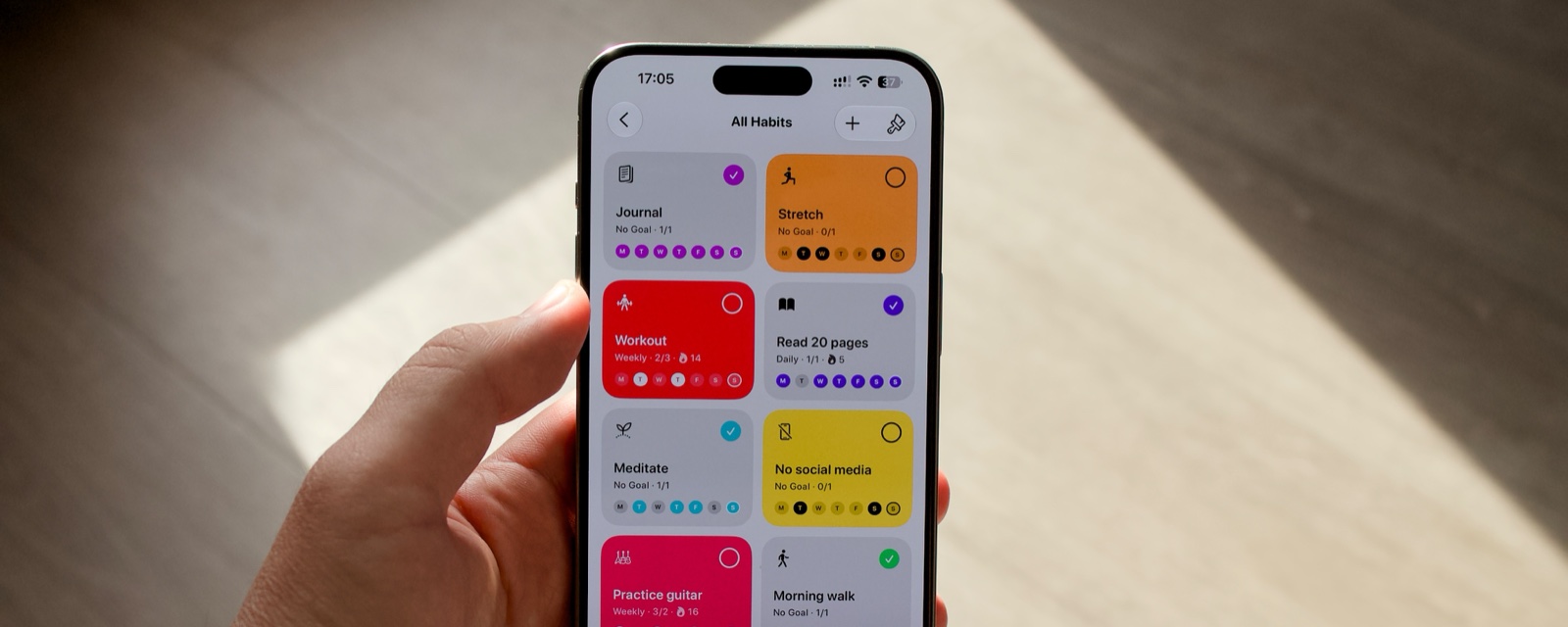
The most obvious change is a completely new visual identity, but the update goes quite a bit deeper than that. I wanted Habitsy to become easier to understand at a glance, while also giving you more ways to look at your habits depending on what you want to see.
A more visual way to track your habits
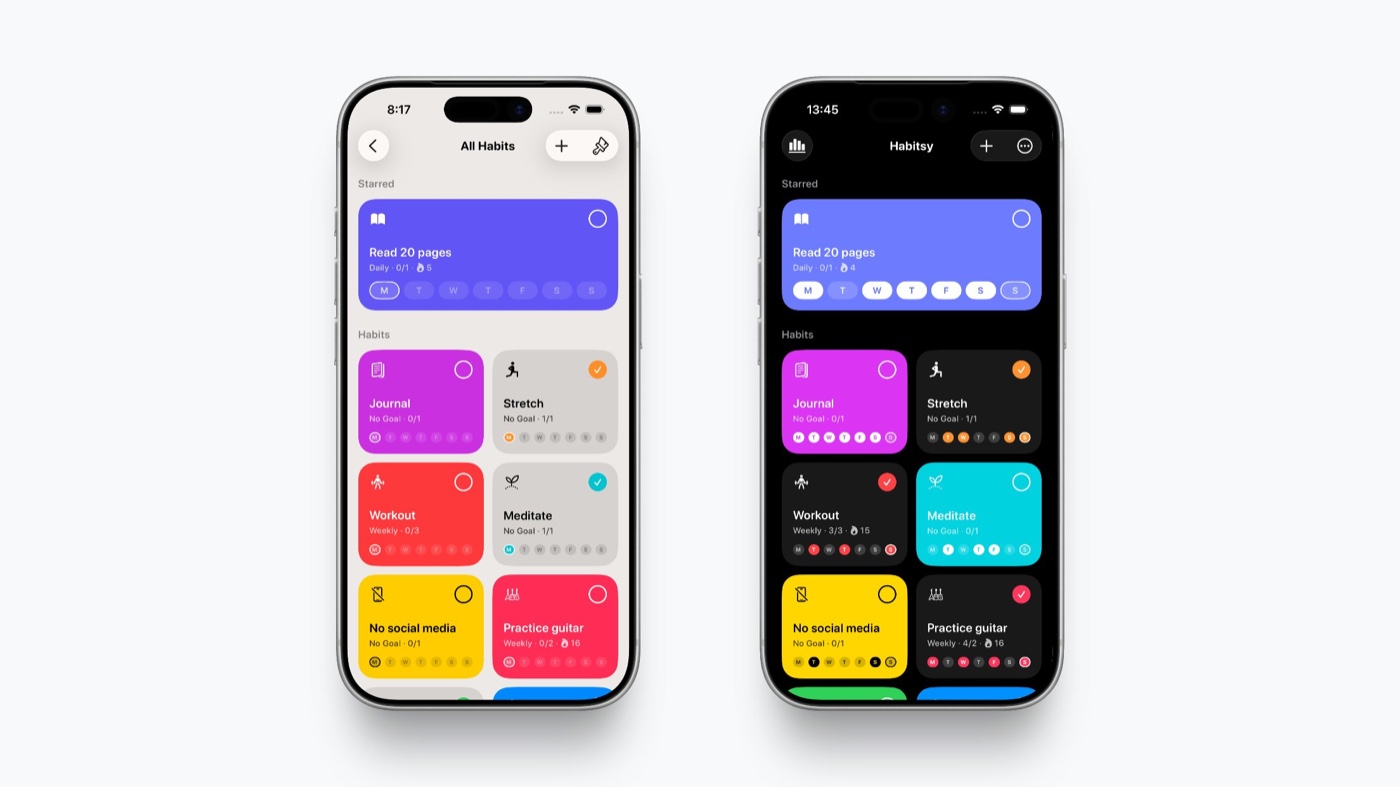
The new default layout is built around Colorful Cards.
Every habit is represented by its own colorful card. Once you complete that habit for today, the card turns gray.
The idea is simple: color means something still needs your attention, while gray means you're done for today.
Instead of reading through numbers, streaks, or status labels, you can open the app and immediately see what's left.
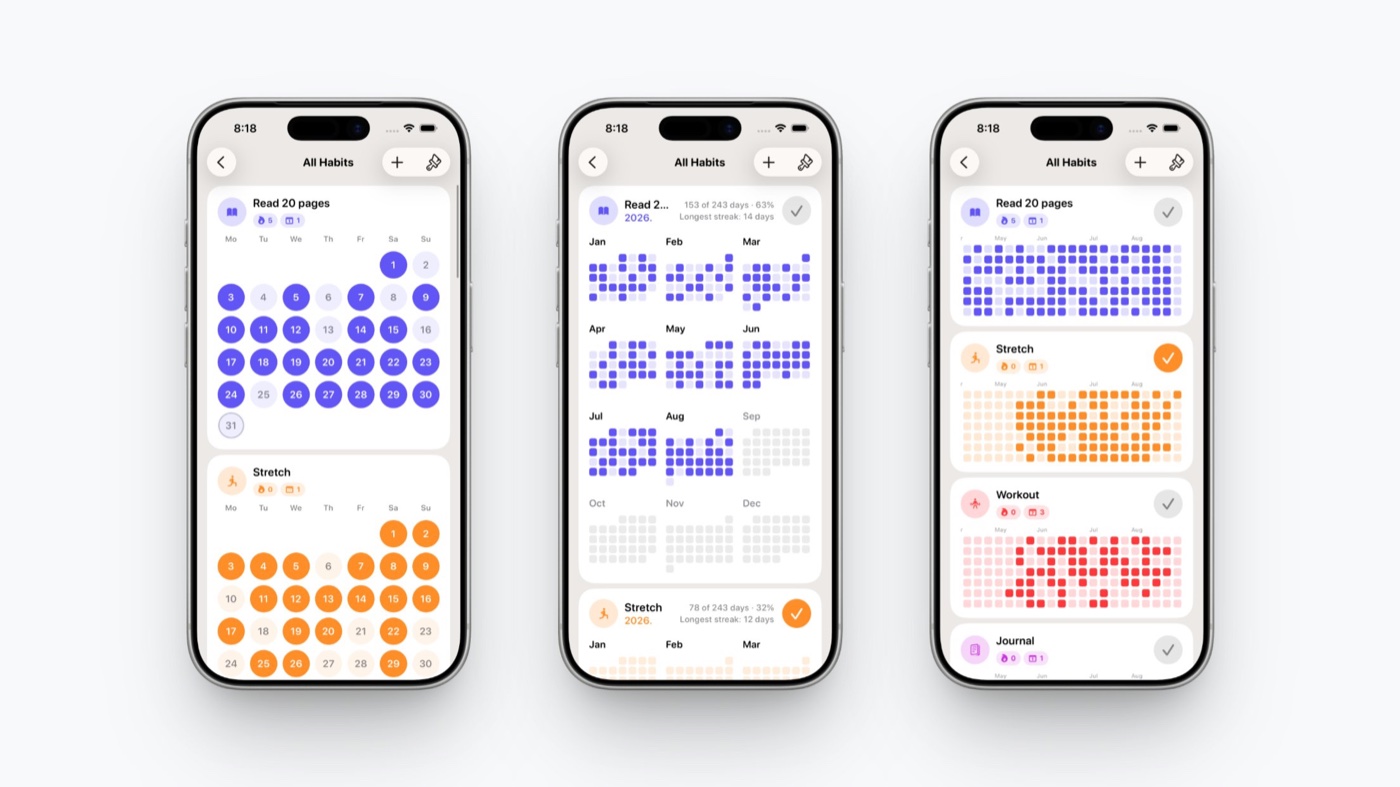
But not every habit is best viewed the same way, so Habitsy now offers four different ways to display them:
- Colorful Cards show your habits as colorful tiles that turn gray once they're completed for the day.
- Monthly Cards show an entire month at once and make it easy to add or remove completions from any day.
- Yearly Cards give you a broader overview of your progress across the whole year.
- Contribution Grid also shows the entire year, but in a much more compact, GitHub-style contribution grid.
You can choose the view that makes the most sense for the way you use Habitsy.
A better habit detail view
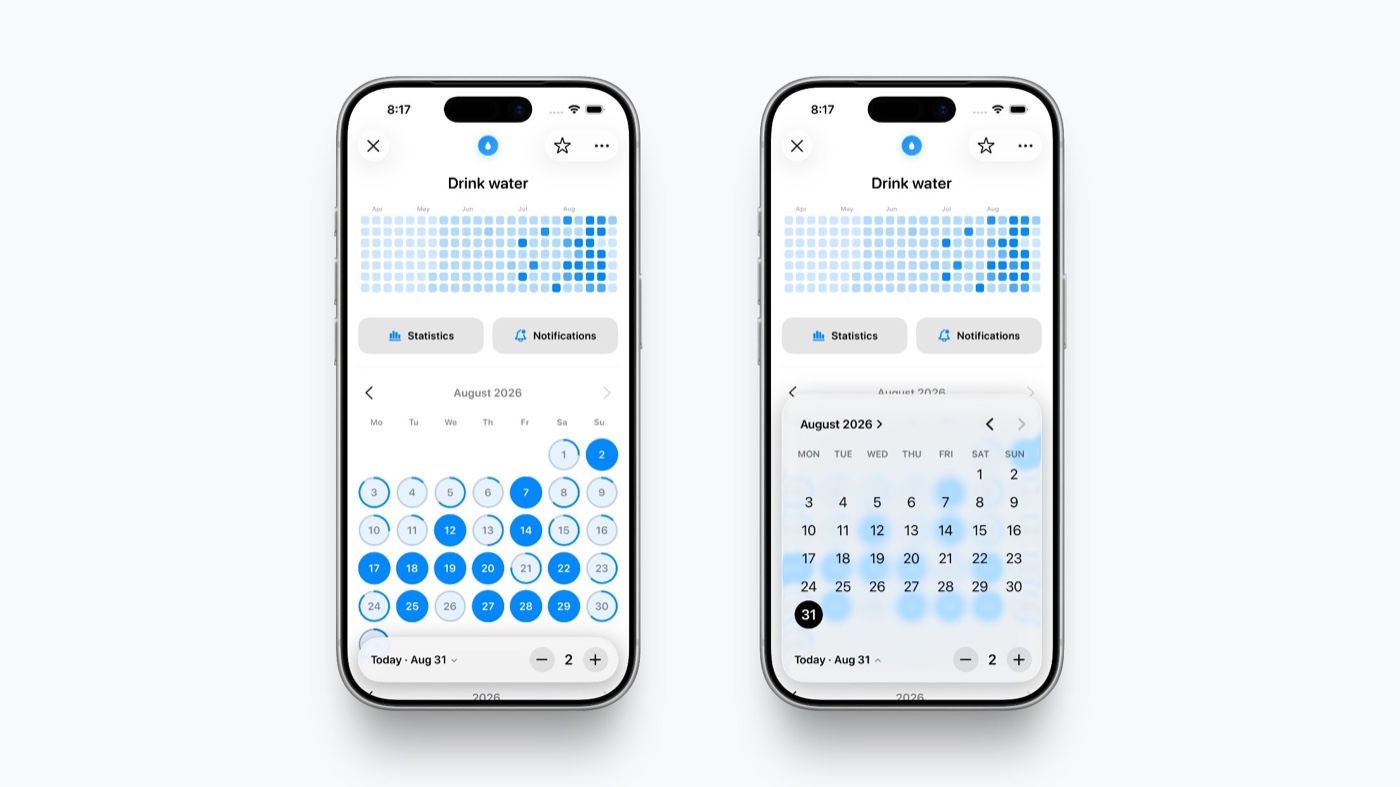
The habit detail screen has been redesigned around the same idea.
Monthly Cards, Yearly Cards, and the Contribution Grid are all available directly inside each habit, so you can quickly switch between short-term and long-term views of your progress.
There is also a new floating - / + control for editing completions.
Tap the date, choose any day from the calendar, then add or remove a completion. This makes correcting past entries or filling in something you forgot much simpler than before.
A new overview
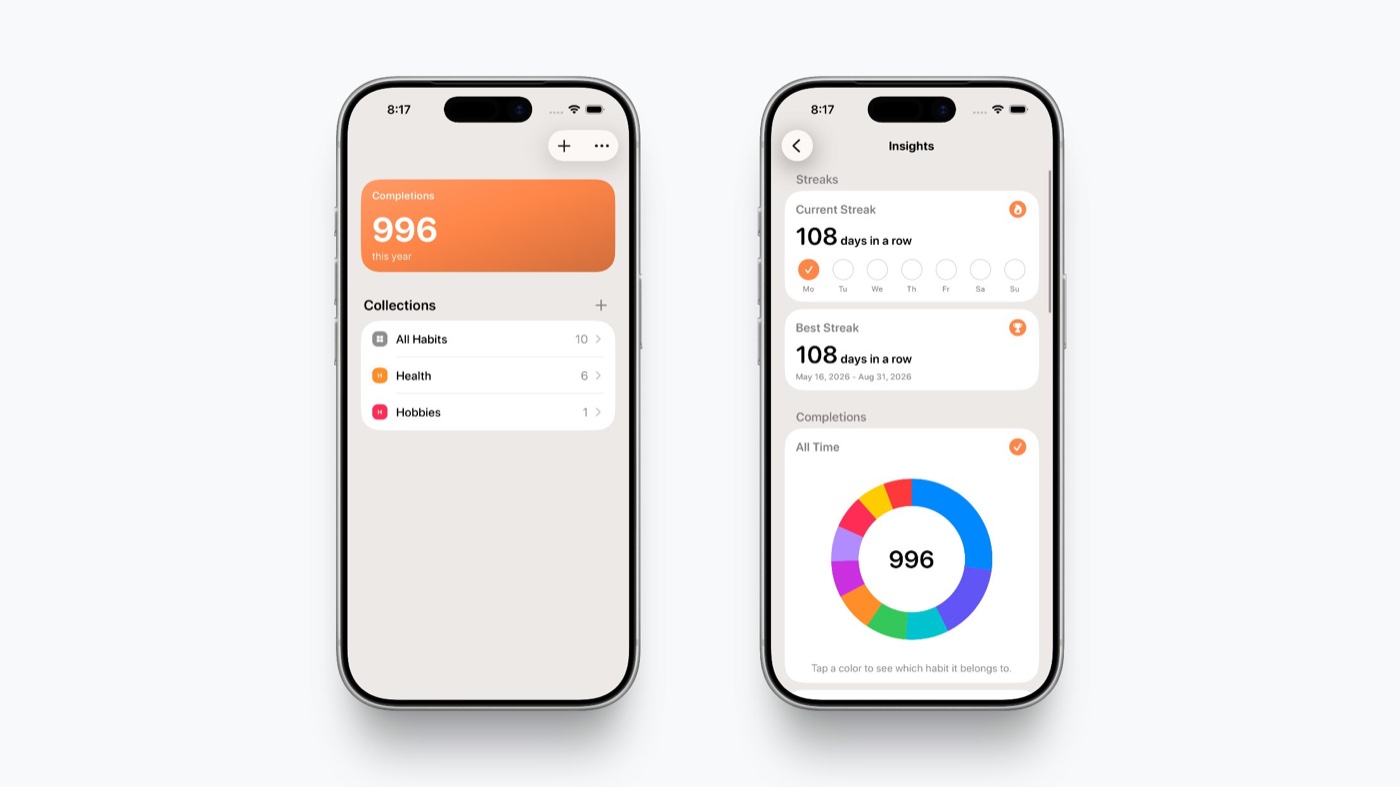
Habitsy now has a cleaner overview screen as well.
At the top, a summary card shows how many habit completions you've recorded in total this year. Tap it and you can dig deeper into your insights.
Below that is the new Collections section.
This is where you can see your habit options alongside all of the collections you've created, making it easier to organize habits around different parts of your life.
The screens for creating and editing collections have also been redesigned to match the rest of the new interface.
A new interactive widget
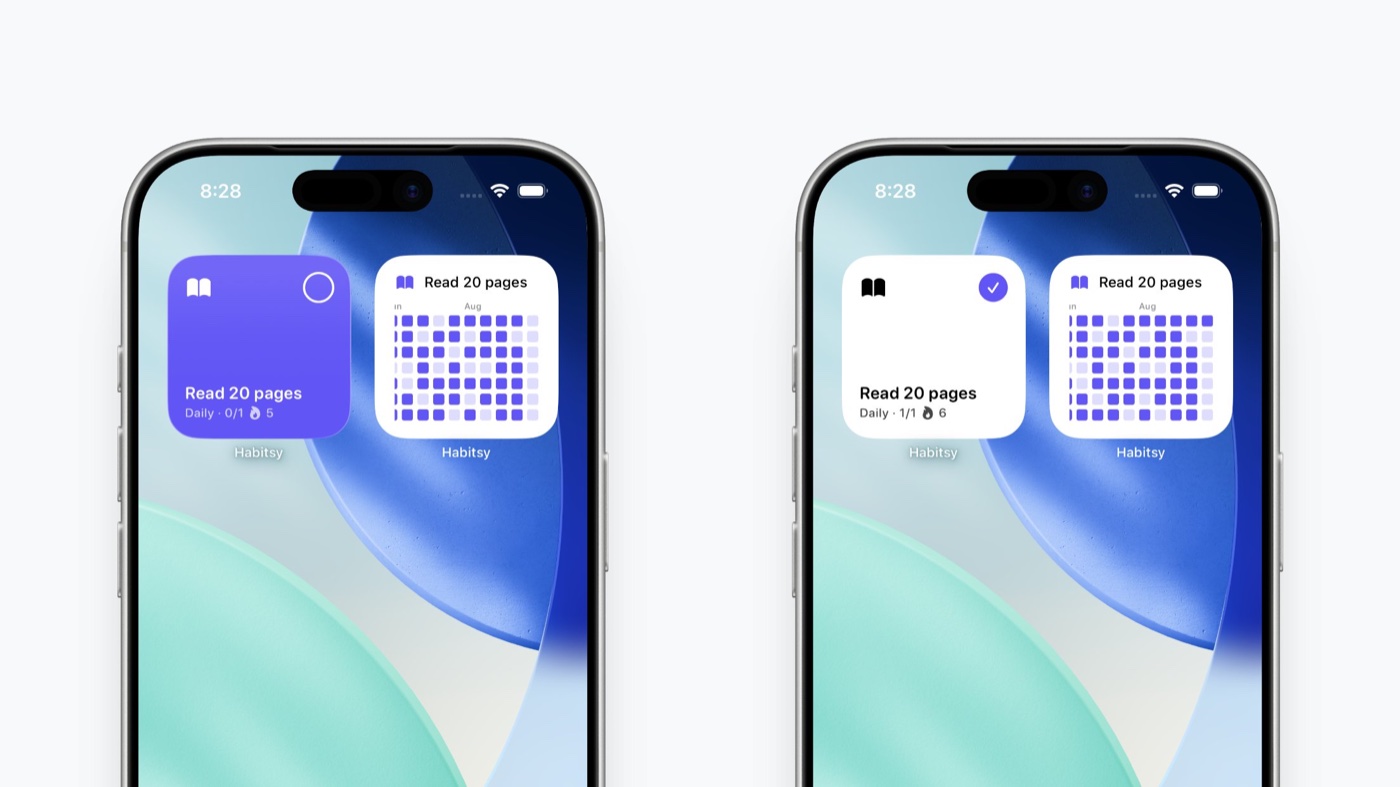
This update also introduces a new interactive Home Screen widget built around the same idea as Colorful Cards.
If a habit hasn't been completed yet, its card stays colorful. Once you check it off directly from the widget, it loses its color there too.
This means the same visual language now extends beyond the app itself: a quick glance at your Home Screen is enough to see which habits still need your attention, and you can complete them without even opening Habitsy.
Creating habits is simpler too
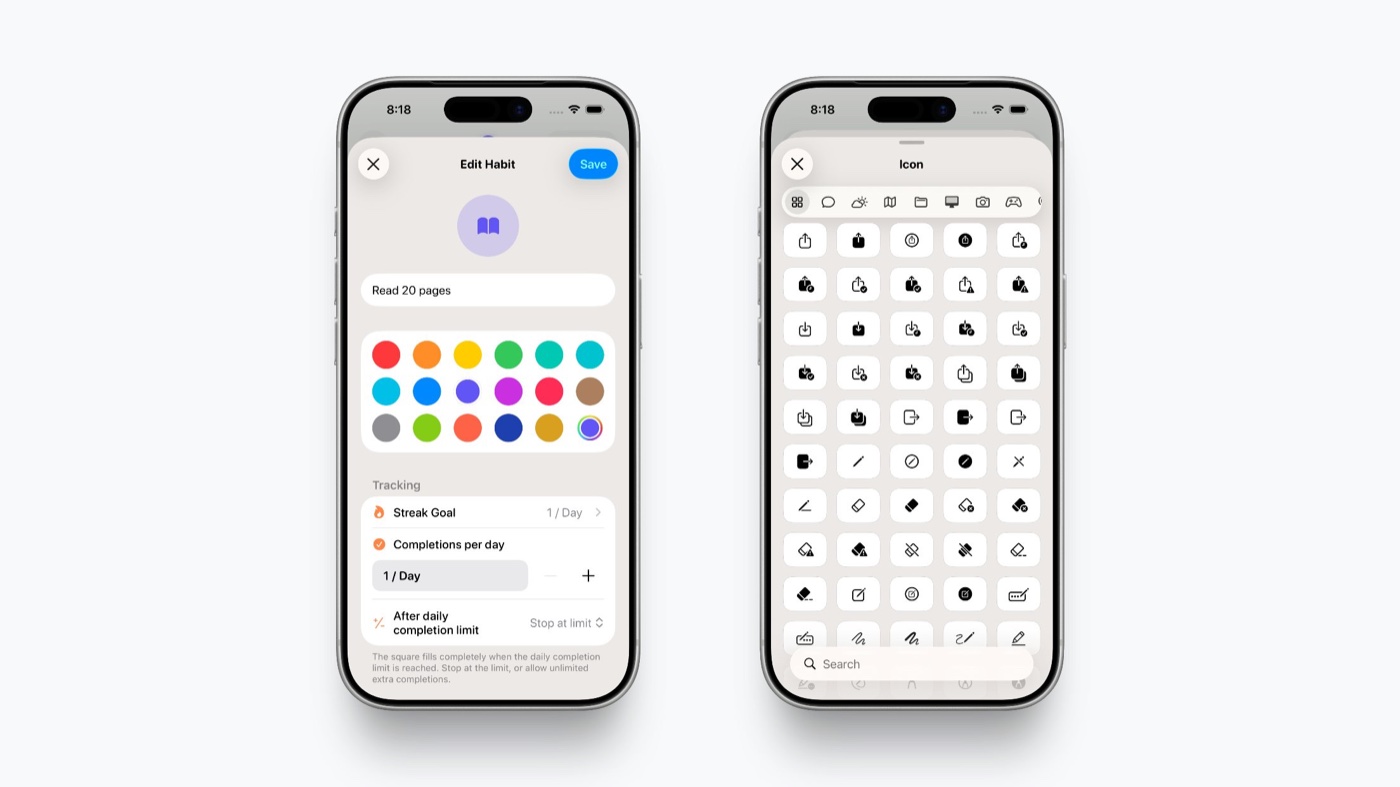
The habit creation and editing screens received quite a few improvements of their own.
The biggest one is the new icon picker.
Habitsy now includes the full SF Symbols library, organized into categories and fully searchable. Instead of scrolling through a small predefined selection, you can search for an icon that actually fits the habit you're creating.
The Tracking section has also been simplified.
For streak goals, there is now a None option alongside Daily, Weekly, and Monthly.
Not every habit needs a goal. Sometimes you simply want to keep track of something without turning it into another target to hit, and Habitsy now reflects that.
Choose when your week starts
This was one of the most requested changes.
You can now choose which day should be considered the first day of the week.
Habitsy also respects your system settings by default, so in most cases you won't have to configure anything at all. If your device is set to start weeks on Sunday, Habitsy will do the same. If it starts on Monday, Habitsy follows that instead.
And if you prefer something different, you can override it in Settings.
A small change to the free plan
There is one more change worth explaining.
The free version of Habitsy has always been limited to four habits, and that limit isn't changing.
Until now, however, I wasn't actually enforcing it after a subscription ended. This meant you could subscribe for a month, create an unlimited number of habits, cancel the subscription, and continue tracking all of them indefinitely.
That loophole is now closed.
If your subscription expires, none of your habits or completion history will be deleted. Everything stays exactly where it is.
However, without an active subscription, you'll only be able to continue recording completions for four habits. These will be the four habits that you started tracking first.
If you subscribe again later, all of your other habits immediately become trackable again, together with their existing history.
More than a new coat of paint
The new visual identity was the starting point for this update, but the goal wasn't simply to make Habitsy look different.
I wanted the app to communicate more through its interface, require fewer taps for common actions, and give you a better sense of both what needs your attention today and how you've been doing over longer periods of time.
Colorful when there's still something to do. Gray when you're done.
Everything else builds from there.
Download Habitsy on the App Store.